Monday, March 3, 2014

Posted in

Google Choram

Google Choram Biography

source link google.com.pk

Google Chrome
Google Chrome icon (2011).svg
Google Chrome screenshot.png
Google Chrome displaying the main page on Windows 8
Developer(s) Google Inc.
Initial release September 2, 2008
Stable release 33.0.1750.117 (February 20, 2014; 10 days ago) [±][1]
Mobile versions:
Android
33.0.1750.132(ARM, x86) (February 26, 2014; 4 days ago[2][3]) [±]
iOS
33.0.1750.14 (February 18, 2014; 12 days ago) [±][4]
Preview release Beta
34.0.1847.11/14 (February 27, 2014; 3 days ago[5]) [±]
Dev
35.0.1862.2 (February 27, 2014; 3 days ago[6]) [±]
Beta for Android
33.0.1750.132 (February 24, 2014; 6 days ago[7]) [±]
Development status Active
Written in Assembly, C, C++, Java, JavaScript, Python
Operating system Android (4.0 and later)
iOS (6.0 or later)[8]
Linux (+GCC v4.6 & +GTK v2.24)
OS X (10.6 and later)
Windows (XP Service Pack 2 and later)
Engines Blink (WebKit on iOS), V8
Platform x86, 32-bit ARM (ARMv7)
Available in 53 languages
Type Web browser, mobile web browser
License Freeware under Google Chrome Terms of Service[9][note 1]
Website www.google.com/chrome
Google Chrome is a freeware web browser[9] developed by Google. It used the WebKit layout engine until version 27 and, with the exception of its iOS releases, from version 28 and beyond uses the WebKit fork Blink.[10][11][12] It was first released as a beta version for Microsoft Windows on September 2, 2008, and as a stable public release on December 11, 2008.
As of 2013, StatCounter estimates that Google Chrome has a 39% worldwide usage share of web browsers, making it the most widely used web browser in the world.[13]
In September 2008, Google released the majority of Chrome's source code as an open source project called Chromium,[14][15] on which Chrome releases are still based. Notable components that are not open source are the built-in PDF viewer and the built-in Flash player.

History

Google's Eric Schmidt opposed the development of an independent web browser for six years. He stated that "at the time, Google was a small company," and he did not want to go through "bruising browser wars." After co-founders Sergey Brin and Larry Page hired several Mozilla Firefox developers and built a demonstration of Chrome, however, Schmidt admitted that "It was so good that it essentially forced me to change my mind."[16]

Announcement

The release announcement was originally scheduled for September 3, 2008, and a comic by Scott McCloud was to be sent to journalists and bloggers explaining the features within the new browser.[17] Copies intended for Europe were shipped early and German blogger Philipp Lenssen of Google Blogoscoped[18] made a scanned copy of the 38-page comic available on his website after receiving it on September 1, 2008.[19] Google subsequently made the comic available on Google Books[20] and mentioned it on their official blog along with an explanation for the early release.[21]

Public release

An early version of Chromium for Linux, explaining the difference between Chrome and Chromium
The browser was first publicly released for Microsoft Windows (XP and later versions) on September 2, 2008 in 43 languages, officially a beta version.[22]
On the same day, a CNET news item[23] drew attention to a passage in the Terms of Service statement for the initial beta release, which seemed to grant to Google a license to all content transferred via the Chrome browser. This passage was inherited from the general Google terms of service.[24] Google responded to this criticism immediately by stating that the language used was borrowed from other products, and removed this passage from the Terms of Service.[9]
Chrome quickly gained about 1% usage share.[21][25][26][27] After the initial surge, usage share dropped until it hit a low of 0.69% in October 2008. It then started rising again and by December 2008, Chrome again passed the 1% threshold.[28]
In early January 2009, CNET reported that Google planned to release versions of Chrome for OS X and Linux in the first half of the year.[29] The first official Chrome OS X and Linux developer previews[30] were announced on June 4, 2009 with a blog post[31] saying they were missing many features and were intended for early feedback rather than general use.
In December 2009, Google released beta versions of Chrome for OS X and Linux.[32][33] Google Chrome 5.0, announced on May 25, 2010, was the first stable release to support all three platforms.[34]
Chrome was one of the twelve browsers offered to European Economic Area users of Microsoft Windows in 2010.[35]

Click On Free Download Google Choram

http://adf.ly/eJLAD
http://adf.ly/eJLEB
http://adf.ly/eJLIo

 
http://adf.ly/eJLP5

Posted in

Flash Player All Bowers

Flash Player All Bowers

source link google.com.pk

Adobe Flash Player
Adobe Flash Player 11 Icon
Developer(s) Adobe Systems and Microsoft Corporation (formerly by Macromedia)
Initial release 1996; 18 years ago
Stable release Microsoft Windows (Internet Explorer)
12.0.0.70 (20 February 2014; 9 days ago) [±]
Microsoft Windows (Plugin-based browsers)
12.0.0.70 (20 February 2014; 9 days ago) [±]
OS X
12.0.0.70 (20 February 2014; 9 days ago) [±]
Google Chrome and Chrome OS
12.0.0.70 (18 February 2014; 11 days ago) [±]
Linux (except for Google Chrome and Chrome OS)
11.2.202.341 (20 February 2014; 9 days ago) [±]
Android
11.1.115.81 (4.x)
11.1.111.73 (2.x, 3.x) (10 September 2013; 5 months ago) [±]
Solaris
11.2.202.223 (28 March 2012; 22 months ago) [±]
Preview release 13[1] / 2014; 0 years ago
Operating system Microsoft Windows, OS X, Linux, Solaris, BlackBerry Tablet OS, Android, and Pocket PC
Platform Web browsers and ActiveX-based software
Available in Chinese Simplified, Chinese Traditional, English, French, German, Italian, Japanese, Polish, Russian, Spanish, Korean, and Turkish.[2]
Type Run-time environment, Media player, and Browser extension
License Freeware
Website www.adobe.com/products/flashplayer/
The Adobe Flash Player is freeware software for viewing multimedia, executing rich Internet applications, and streaming video and audio, content created on the Adobe Flash platform. Flash Player can run from a web browser (as a browser plug-in) or on supported mobile devices, but there also exist versions running directly on an operating system intended both for regular users and content developers, denoted with the Projector (or Standalone) and Debugger name suffixes, respectively.[3] Flash Player runs SWF files that can be created by the Adobe Flash Professional authoring tool, by Adobe Flex or by a number of other Macromedia and third party tools. Flash Player was created by Macromedia and now developed and distributed by Adobe Systems after its acquisition.
Flash Player supports vector and raster graphics, 3D graphics, an embedded scripting language called ActionScript executed in ActionScript Virtual Machine, and streaming of video and audio. ActionScript is based on ECMAScript, and supports object-oriented code, and may be compared to JavaScript. Flash Player has a wide user base, with over 90% penetration on internet connected personal computers,[4][5][6] and is a common format for games, animations, and GUIs embedded into web pages. Adobe Systems, the developer of Adobe Flash Player, states that more than 400 million of total more than 1 billion connected desktops update to the new version of Flash Player within six weeks of release.[7]
Flash Player can be downloaded for free and its plug-in version is available for recent versions of web browsers (such as Internet Explorer, Mozilla Firefox, Google Chrome, Opera and Safari) on selected platforms. Google Chrome distribution comes bundled with the sandboxed Adobe Flash plug-in and will continue to support the plug-in in Windows 8 Metro mode.[8][9][10] Each version of Adobe Flash Player is backwards-compatible.

Architecture

Runtime

Adobe Flash Player is a runtime that executes and displays content from a provided SWF file, although it has no in-built features to modify the SWF file at runtime. It can execute software written in the ActionScript programming language which enables the runtime manipulation of text, data, vector graphics, raster graphics, sound and video. The player can also access certain connected hardware devices, including web cameras and microphones, after permission for the same has been granted by the user.
Flash Player is used internally by the Adobe Integrated Runtime (Adobe AIR), in order to provide a cross-platform runtime environment for desktop applications and mobile applications. Adobe AIR supports installable applications on Windows, Linux, OS X, and some mobile operating systems such as iOS and Android. Flash applications must specifically be built for the Adobe AIR runtime in order to utilize additional features provided, such as file system integration, native client extensions, native window/screen integration, taskbar/dock integration, and hardware integration with connected Accelerometer and GPS devices.[11]

Data formats

Flash Player includes native support for many different data formats, some of which can only be accessed through the ActionScript scripting interface.
  • XML: Flash Player has included native support for XML parsing and generation since version 8. XML data is held in memory as an XML Document Object Model, and can be manipulated using ActionScript. ActionScript 3 also supports ECMAScript for XML (E4X), which allows XML data to be manipulated more easily.
  • AMF: Flash Player allows cookies to be stored on users computers, in the form of Local Shared Objects, the Flash equivalent to browser cookies.[12] Flash Player can also natively read and write files in the Action Message Format, the default data format for Local Shared Objects. Since the AMF format specification is published, data can be transferred to and from Flash applications using AMF datasets instead of JSON or XML, reducing the need for parsing and validating such data.
  • SWF: The specification for the SWF file format was published by Adobe, enabling the development of the SWX Format project, which utilized the SWF file format and AMF as a means for Flash applications to exchange data with server side applications.[13][14] The SWX system stores data as standard SWF bytecode which is automatically interpreted by Flash Player.[15] Another open-source project, SWXml allows Flash applications to load XML files as native ActionScript objects without any client-side XML parsing, by converting XML files to SWF/AMF on the server.[16][17]

Multimedia formats

Flash Player is primarily a graphics and multimedia platform, and has supported raster graphics and vector graphics since its earliest version. It supports the following different multimedia formats which it can natively decode and playback.
  • MP3: Support for decoding and playback of streaming MPEG-2 Audio Layer III (MP3) audio was introduced in Flash Player 4. MP3 files can be accessed and played back from a server via HTTP, or embedded inside an SWF file, which is also a streaming format.
  • PNG: Support for decoding and rendering Portable Network Graphics (PNG) images, in both its 24-bit (opaque) and 32-bit (semi-transparent) variants. Flash Player 11 can also encode a PNG bitmap via ActionScript.
  • JPEG: Support for decoding and rendering compressed JPEG images. Flash Player 10 added support for the JPEG-XR advanced image compression standard developed by Microsoft Corporation, which results in better compression and quality than JPEG. JPEG-XR enables lossy and lossless compression with or without alpha channel transparency. Flash Player 11 can also encode a JPEG or JPEG-XR bitmap via ActionScript.
  • GIF: Support for decoding and rendering compressed Graphics Interchange Format (GIF) images, in its single-frame variants only. Loading a multi-frame GIF will display only the first image frame.

Click on Free Download Flash Player 10


http://adf.ly/eJIPl

Click on Free Download Flash Player 11

http://adf.ly/eJJM2


Posted in

Coral Draw 9.rar

Coral Draw Biography


source link google.com


CorelDRAW
CorelDRAW Graphics Suite X6 Logo.svg
CorelDRAW X5.PNG
CorelDraw X5 under Windows 7
Developer(s)Corel
Initial releaseJan 1989
Stable releaseX6 / 20 March 2012; 22 months ago
Written inC++, C#
Operating systemMicrosoft Windows
TypeVector graphics editor
LicenseProprietary
Websitewww.corel.com
CorelDraw (styled CorelDRAW) is a vector graphics editor developed and marketed byCorel Corporation of Ottawa, Canada. It is also the name of Corel's Graphics Suite, which bundles CorelDraw with a bitmap image editor, Corel PhotoPaint, and other graphics-related programs (see below). The latest version is designated X6 (equivalent to version 16), and was released in March 2012.

History[edit]

In 1987, Corel hired software engineers Michel Bouillon and Pat Beirne to develop a vector-based illustration program to bundle with their desktop publishing systems. That program, CorelDraw, was initially released in 1989. CorelDraw 1.x and 2.x runs under Windows 2.x and 3.0. CorelDraw 3.0 came into its own with Microsoft's release of Windows 3.1. The inclusion of TrueType in Windows 3.1 transformed CorelDraw into a serious illustration program capable of using system-installed outline fonts without requiring third-party software such as Adobe Type Manager; paired with a photo editing program (PhotoPaint), a font manager and several other pieces of software, it was also part of the first all-in-one graphics suite.

Features by version[edit]

CorelDrawVersion supportWindows
Compatibility
New Features
Release dateVersionReading filesWriting files
Jan 1989[1]1112.1First version
Mar 1989[2]1.01112.1Introduces backups on save, and draw rectangles from their centre
Apr 1989[2]1.02112.1IBM PIF file format support
Jul 1989[2]1.10112.1102 new fonts
Feb 1990[2]1.11112.1AutoCAD DXF import/export support
Sep 1991[1]21, 21, 23.0Envelope tool (for distorting text or objects using a primary shape), Blend (for morphing shapes), Extrusion (for simulating perspective and volume in objects) and Perspective (to distort objects along X and Y axes). CorelDraw for Unix also became available.[3][4]
15 May 1992[5]31, 2, 32, 33.0, 3.1(preferred)Included Corel Photo-Paint (for bitmap editing), CorelSHOW (for creating on-screen presentations), CorelCHART (for graphic charts), Mosaic and CorelTRACE (for vectorizing bitmaps). The inclusion of this software was the precedent for the actual graphic suites.[6] CorelDraw for Unix also became available.[7][8]
20 May 1993[9]41, 2, 3, 43, 43.1Photo-Paint (for bitmap editing), CorelSHOW (for creating on-screen presentations), CorelCHART (for graphic charts), CorelMOVE for animation, Mosaic and CorelTRACE (for vectorizing bitmaps). Multi-page capabilities, Powerlines, support for graphic tablets, Clone tool, elastic node editing, Envelope tool.
27 May 1994[10]51, 2, 3, 4, 53, 4, 53.1This is the last version which was made for, and works on Windows 3.x. Corel Ventura was included in the suite (and then sold as a separate program). It was a desktop publishing application akin to PageMaker, Quark Express, or InDesign.
24 Aug 1995[11]63, 4, 5, 65, 695This is the first version which was made exclusively for 32-bit Windows. New features were customizable interface, Polygon, Spiral, Knife and Eraser tools. Corel Memo, Corel Presents, Corel Motion 3D, Corel Depth, Corel Multimedia Manager, Corel Font Master and Corel DREAM (for 3D modelling) were included in the suite.
8 Oct 1996[12]73, 4, 5, 6, 75, 6, 795, NT 4Context-sensitive Property bar, Print Preview with Zoom and Pan options, Scrapbook (for viewing a drag-and-dropping graphic objects), Publish to HTML option, Draft and Enhanced display options, Interactive Fill and Blend tools, Transparency tools, Natural Pen tool, Find & Replace wizard, Convert Vector to Bitmap option (inside Draw), Spell checker, Thesaurus and Grammar checker. The suite included Corel Scan and Corel Barista (a Java-based document exchange format).
27 Oct 1997[13]83, 4, 5, 6, 7, 86, 7, 895, NT 4Digger selection, Docker windows, Interactive Distortion, 3D, Envelope and tools, Realistic Dropshadow tool, interactive color mixing, color palette editor, guidelines as objects, custom-sized pages, duotone support. Corel Versions was included in the suite.
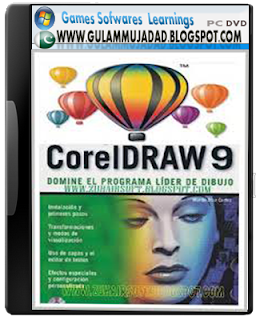
31 Aug 1999[14]93, 4, 5, 6, 7, 8, 95, 6, 7, 8, 995, 98, NT 4Mesh fill tool (for complex color filling), Artistic Media tool, Publish to PDF features, embedded ICC color profiles, Multiple On-screen Color Palettes and Microsoft Visual Basic for Applications 6 support. The suite included Canto Cumulus LE, a piece of software for media management.
13 Nov 2000[15]1010 †10 ‡98, Me, NT 4,2000CorelR.A.V.E. (for vector animation), Perfect Shapes, Web graphics tools (for creating interactive elements such as buttons), Page sorter, multilingual document support, navigator window. Open, save, import and export in SVG format.[16]
  1 Aug 2002[17]1111 †5, 6, 7, 8, 9, 10, 1198, Me, NT 4, 2000, XPSymbols library, image slicing (for web design), pressure-sensitive vector brushes, 3-point drawing tools.
10 Feb 2004[18]1212 †12 ‡2000, XPDynamic guides, Smart Drawing tools, Export to MS Office or Word option, Virtual Segment Delete tool, Unicode text support.
17 Jan 2006[19]X3 (13)X3 †7, 8, 9, 10, 11, 12, X32000, 2003, XP (32-bit, 64-bit), Vista (32-bit only)Double click Crop tool (the first vector software able to crop groups of vectors and bitmap images at the same time), Smart fill tool, Chamfer/Fillet/Scallop/Emboss tool, Image Adjustment Lab. Trace became integrated inside Draw under the name PowerTrace.
22 Jan 2008[20]X4 (14)7 to X4 †7 to X4XP, Vista, 7 (32-bit, 64-bit)Whatthefont font identification service linked inside CorelDraw, ConceptShare, Table tool, independent page layers, live text formatting, support for RAW camera files.[21]
23 Feb 2010[22]X5 (15)7 to X57 to X5XP, Vista, 7 (32-bit, 64-bit)Built-in content organizer (CorelConnect), cd, web graphics and animation tools, multi-core performance improvement, digital content (professional fonts, clip arts, and photos), object hinting, pixel view, enhanced Mesh tool with transparency options, added touch support, and new supported file formats.[23] It has developed Transformation, which makes multiple copies of a single object.
For the first time, OpenType versions of Helvetica, Frutiger, Futura and Garamond #3 font families (32 fonts total) from Linotype foundry are included instead of the Bitstream counterparts. All but Garamond are in OpenType Pro format.[24]
20 Mar 2012[25]X6 (16)7 to X67 to X6XP, Vista, 7, 8 (32-bit, 64-bit)Key new features and enhancements: (a) Advanced OpenType Support (b) New Custom-built Colour Harmonies (c) New Native 64-bit and Enhanced Multi-Core Support (d) New Creative Vector Shaping tools (e) New Styles Engine and Docker (f) New Corel Website Creator X6 application (g) New Smart Carver (h) Improved Page Layout Capabilities (i) Redesigned Object Properties Docker
† CorelDraw 10 to X4 can open files of version 3 and later, but certain features may not be supported.
‡ The list of file formats that CorelDraw 10 to X4 can write may not be complete in this table.

Features[edit]

Supported platforms[edit]

CorelDraw was originally developed for Microsoft Windows 3 and currently runs on Windows XP, Windows Vista,Windows 7, andWindows 8.[26] The current version, X6, was released on 20 March 2012.
Versions for Mac OS and Mac OS X were at one time available, but due to poor sales these were discontinued. The last port for Linux was version 9 (released in 2000, it did not run natively; instead, it used a modified version of Wine to run) and the last version for OS X was version 11 (released in 2001). Also, up until version 5, CorelDraw was developed for Windows 3.1x, CTOS and OS/2.

Click on Free Download

Coral Draw


Coral Draw